The Zum Cycle.
Know it before you ride.
Most of the cycle works the way you'd expect. A few things don't, and those are the ones that catch people out on their first ride. Five minutes here saves a lot of fumbling on the road.
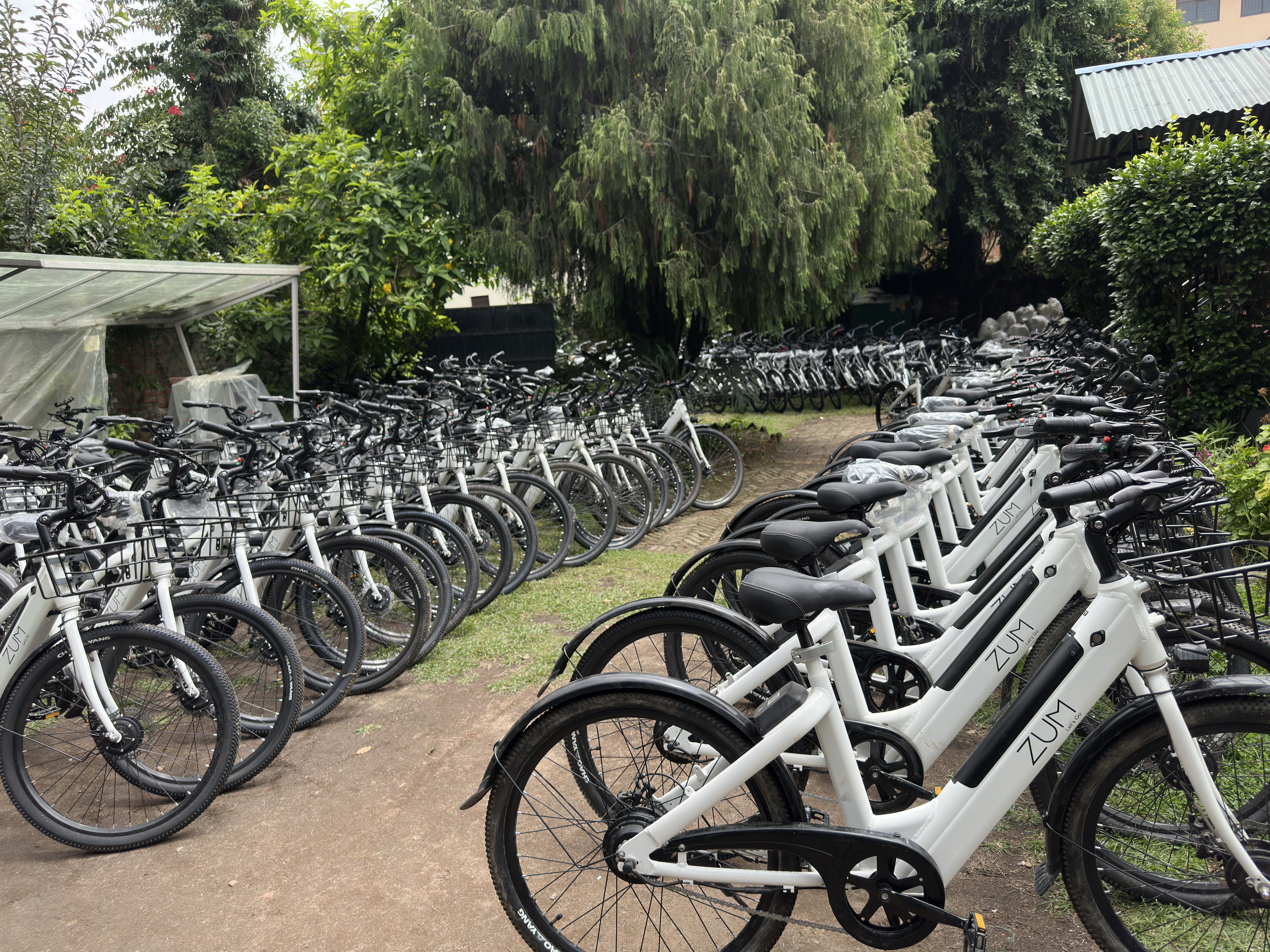
The Basics
Three things to get right before you go
Scan and turn on
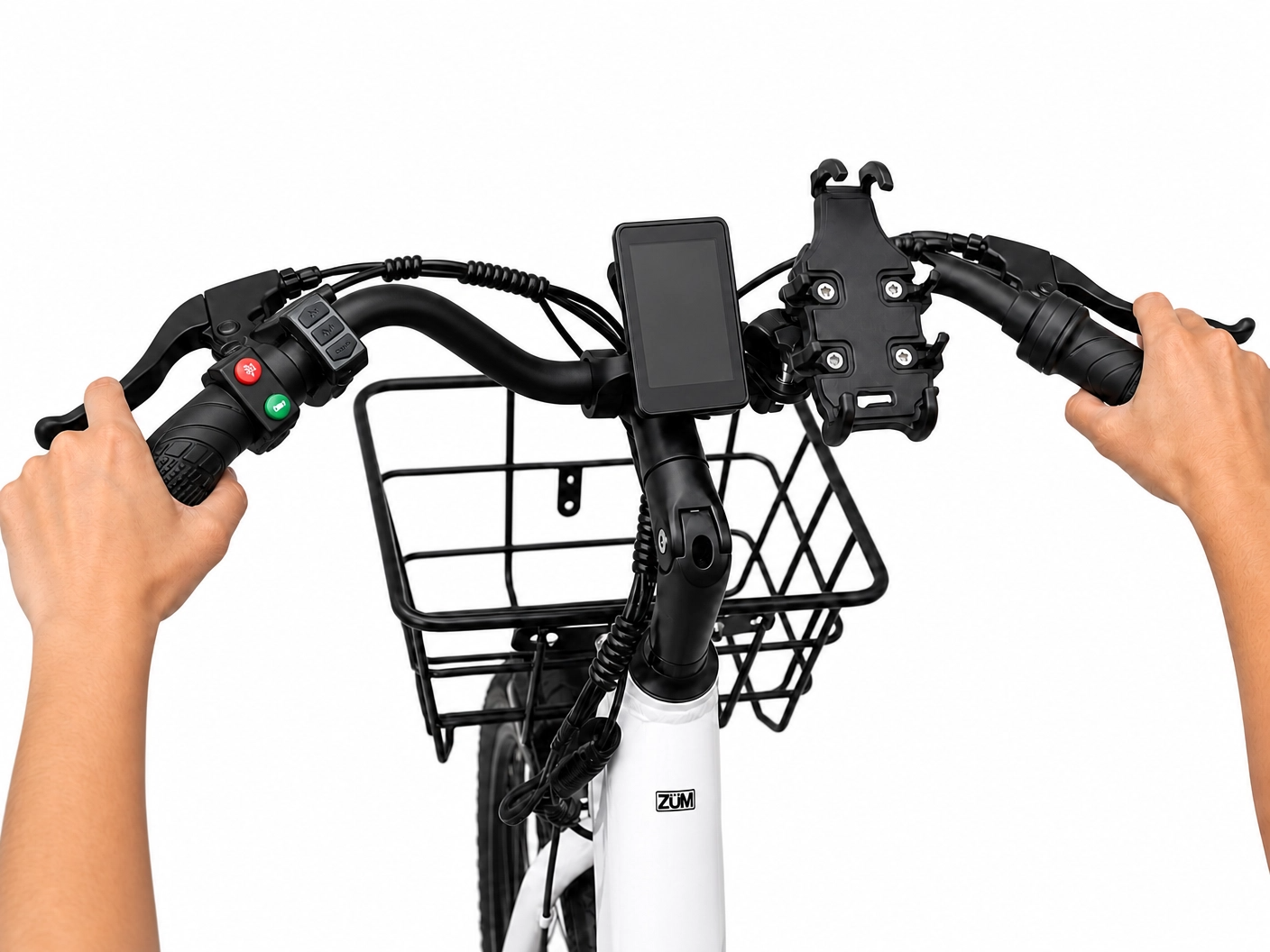
Your Zum balance has to be positive to scan (token balance just can't be negative; zero tokens is fine). Once you scan through the app, the lock releases. Long-press the M button on the left handlebar (M is for Mode) to turn the Cycle / display on. Short-press M to switch between display modes.
Release the brakes before twisting the throttle
Power cuts the moment you touch a brake. To accelerate with the throttle, both brakes have to be fully released first.
Brake with both hands, always
On an e-cycle, the safest habit is to pull both brake levers at the same time, not just the front or just the rear. It feels unnatural for a ride or two, then becomes automatic.
Battery
How to read the charge
The battery has a power button on it. You can't switch the battery off, but pressing the button shows the charge level by color. The dashboard shows the same thing in bars. The app's reading is the most accurate of the three; if you want a real number, check the app.
| Battery Button | Dashboard Bars | Charge |
|---|---|---|
| Blue | 5 bars | 86 – 100% |
| Green | 2 – 4 bars | 25 – 85% |
| Red | 0 – 1 bar | Below 25% |
Blue · 86 – 100%
5 bars
Green · 25 – 85%
2 – 4 bars
Red · Below 25%
0 – 1 bar
Throttle & Pedals
Two ways to go forward
Mode 01
Throttle
Right grip, twist toward you. Tops out at 25 km/h. Around 40 km of range on throttle alone with a full battery.
Mode 02
Pedal-assist
Just start pedaling. Assist kicks in after two full revolutions. Up to 75 km of range when you combine pedaling with the motor.
Before You Ride
A quick once-over at the station
Set the seat
Adjust the seat to where your knee has a slight bend at the bottom of the pedal stroke. No tools needed.
Quick-release lever opened, seat lowered, correct riding height demonstrated.
Mount your phone
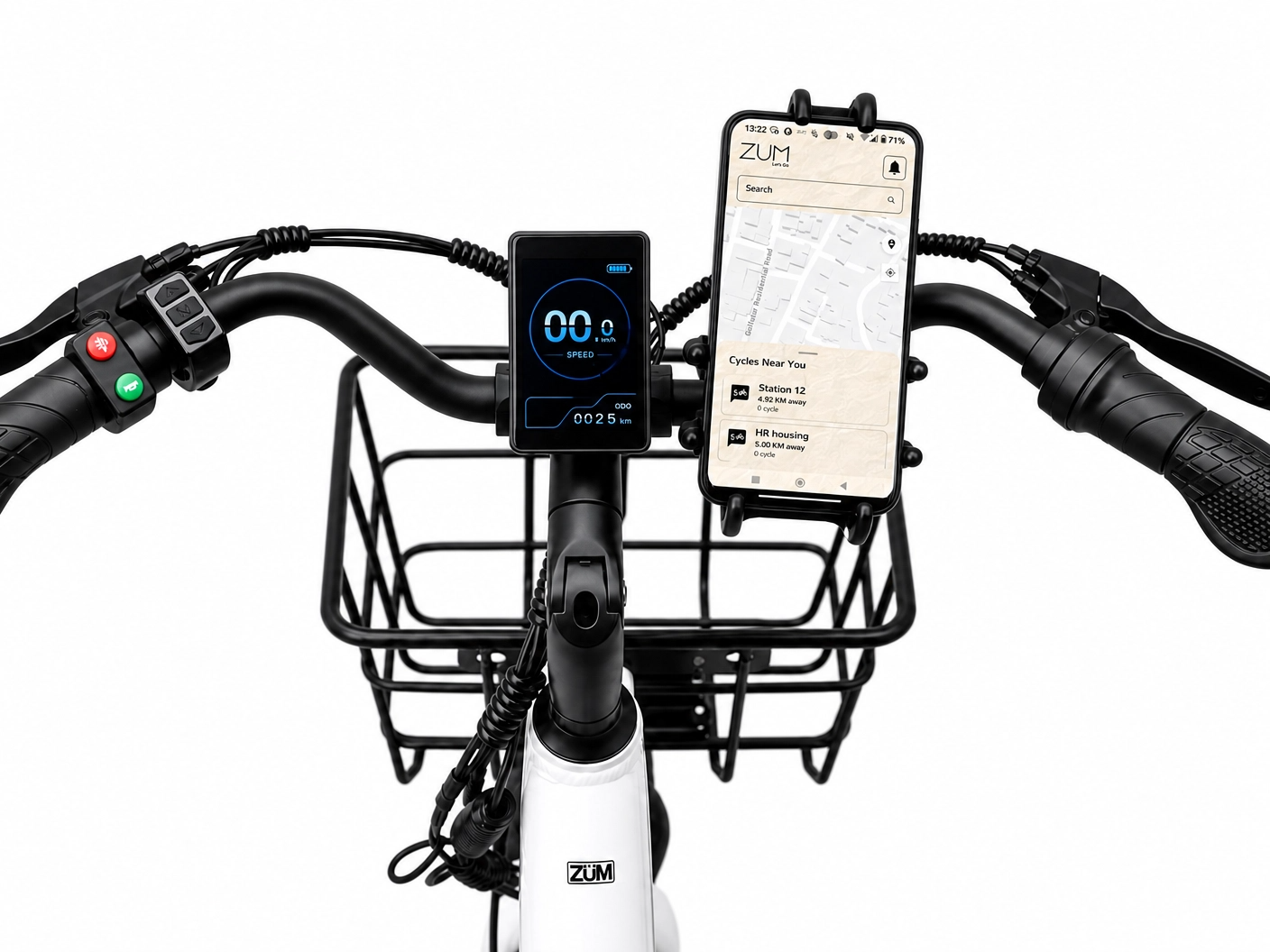
Every cycle has an adjustable holder on the handlebar that fits most phones. If you're using your phone for navigation, mount it before you start. Adjusting it mid-ride in traffic isn't worth the risk.
Look the cycle over
Eyeball it before you scan. Anything broken, missing, or off: report it through the app before you start the ride. A few seconds now saves a back-and-forth later.
Find your booked cycle
At a busy station, open the app and ring the cycle alarm. Each cycle also has a unique name and number marked on it.
Cycle alarm in action
Display & Controls
Buttons under your thumbs
Get familiar with the layout at the station, not in traffic. Everything you'll touch sits within reach on the left and right handlebar panels.
The four screens (short-press M)
| Screen | What it shows | Resets when… |
|---|---|---|
| ODO | Lifetime distance for this cycle | Never |
| Trip | Distance since the display was last turned on | Display turns off |
| Power | Current power output | — |
| Timer | Stopwatch | Display turns on |
Buttons at a glance
- M button (left): long press to turn the Cycle / display on/off, short press to switch between display modes.
- Down button: hold for walk assist. The cycle creeps forward on its own, useful for tight spots or repositioning at a station.
- Red button (left): front LED headlamp on/off. Use it after dark or any time visibility is low.
- Green button (left): electric horn. Use it at intersections, blind corners, anywhere you need to be noticed.
- Right grip: throttle. Twist toward you to accelerate.
- Right brake lever: front wheel. Left brake lever: rear wheel. Pull both together for normal stops; never lean on the front alone for sudden ones.
M). On some, the horn sits on the right side near the throttle instead of the left.Cruise Mode
Set the throttle and let go
Cruise Mode unlocks after you complete a cumulative total of 15KM on Zum. Once that threshold is crossed, the toggle becomes available in the app. Enable it there before your next ride, then hold the throttle steady for a moment while riding and it locks in.
To switch it off, tap either brake or start pedaling. It disengages immediately.
Mid-Ride
If something feels off, don't ride through it
If anything feels wrong on the road — mechanical, electrical, or just unusual — stop somewhere safe and message us through the in-app chat. Every cycle is GPS-tracked, so a nearby Zum Operator can come to you.
Speed
Riding responsibly
The cycle's speed limit is 25 km/h, and every ride is monitored continuously. Regularly going over — including on downhills, where the cycle picks up speed on its own — gets flagged. At 30 km/h the cycle automatically restricts itself. Repeat violations over 25 km/h can lead to account restrictions.
The cycle may enjoy a downhill, but the system won't pretend not to notice.
Service Area
Stay inside the Ring Road
Zum operates inside Kathmandu's Ring Road. There are two boundary levels, both clearly marked on the in-app map before you ride.
Outside Ring Road
- Cycle alerts you, app notifies you.
- 5-minute countdown begins.
- Return in time → ride continues normally.
- Stay out → 2 tokens charged.
- Power and pedal-assist cut off.
- Cycle locks once it stops.
- Every additional 5 minutes outside: 2 more tokens.
Beyond the 50 m outer threshold
- 2 tokens charged immediately on crossing.
- Power and pedal-assist cut off instantly.
- Cycle locks once it stops.
- Repeated violations may restrict your account.
Hours
Operating hours and ride endings
Daily
5 AM – 10 PM
At 9:30 PM, idle cycles lock and active riders get a reminder. All cycles lock at 10 PM. End your ride at a station before then to avoid extra charges.
Strictly Prohibited
Riding Under the Influence
No exceptions. Violations mean immediate account restriction and possible legal action. Insurance won't cover anything caused by impaired riding.
Parking
Where to leave the cycle
Park upright, out of the way, clear of roads, gates, entrances, and walkways. Ending a ride away from a station needs a photo through the app for approval. If the photo's rejected, the ride stays active until you resubmit a clean one.
The Cycle
Built for the city
25 km/h
Throttle max speed
350 W
Motor power
~40 km
Throttle-only range
~ 75 km
Range with pedal-assist
Still have questions? We're here.Feel free to reach out.